
Are you changing your phone and want to keep all your recipes?
COOKmate offers several ways to synchronize your data between devices.
The easiest method is to use a COOKmate online account, which allows you to automatically synchronize your recipes across all your devices: Synchronize Cookmate Android application and Cookmate Online
Another available method is synchronization using Dropbox. This method requires a manual backup and restore, but it is still useful if you prefer managing your files yourself.
Before using Dropbox, make sure COOKmate is properly connected to your Dropbox account. You can follow this guide to set it up: Synchronize/backup your recipes with Dropbox (documentation for Android)
Below are the steps to back up and restore your recipes using Dropbox.
On your old device
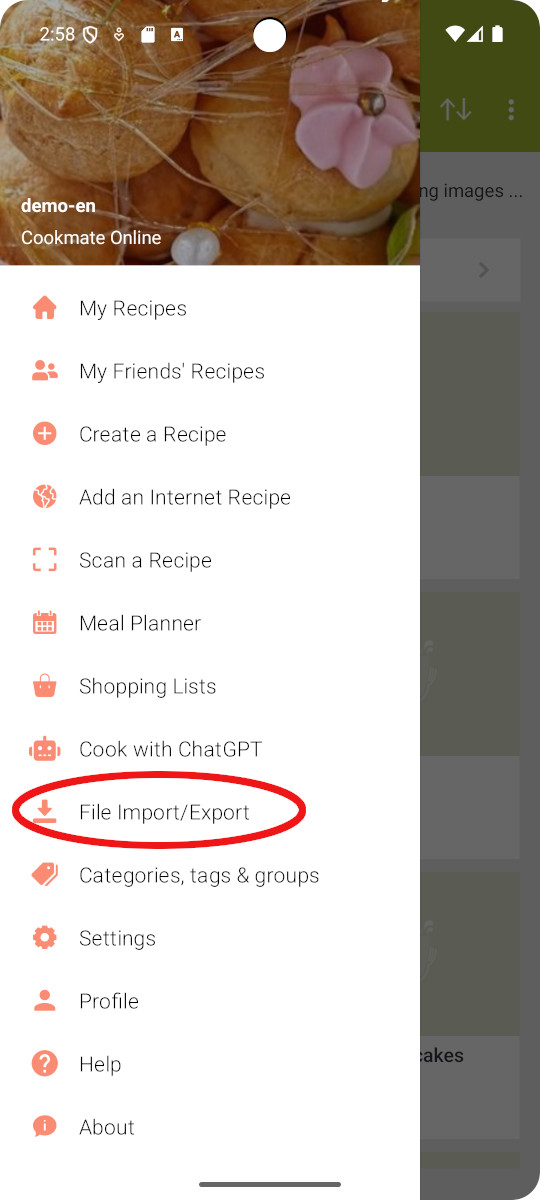
Open COOKmate and tap File Import / Export from the menu.
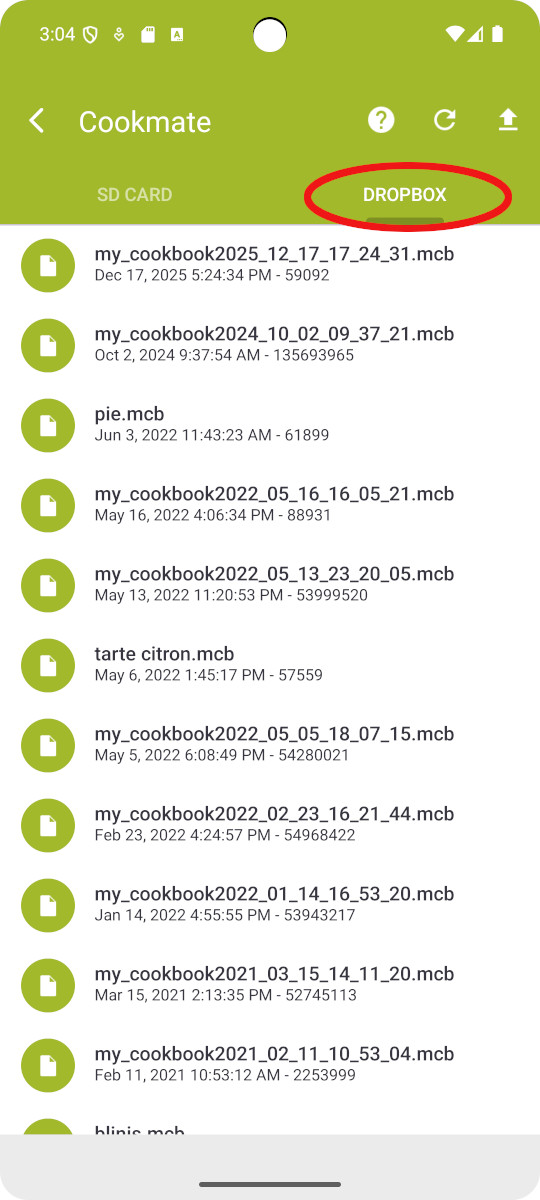
Select the Dropbox tab
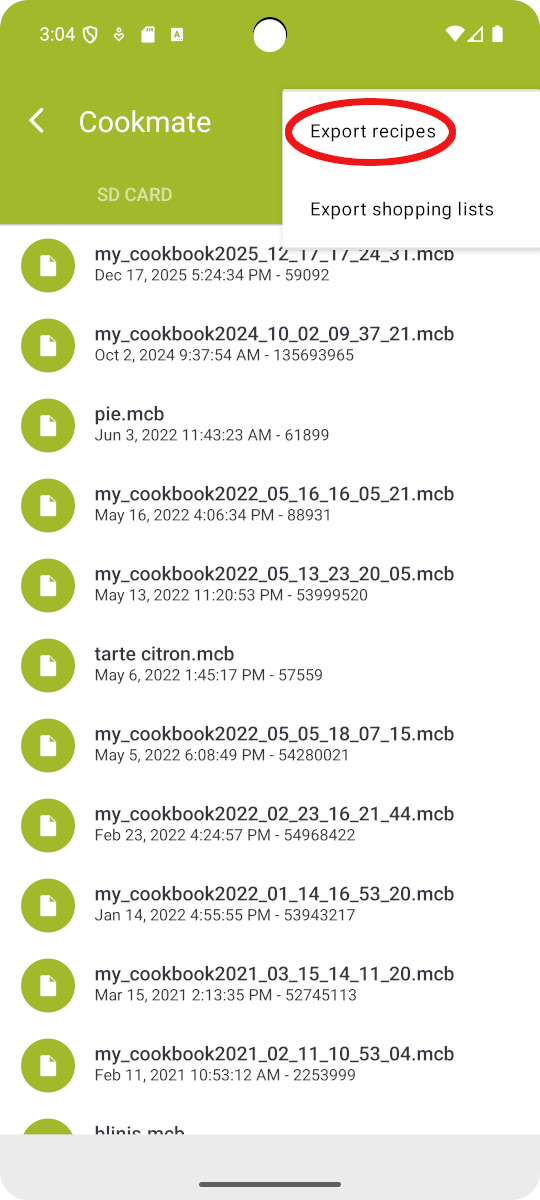
Tap Export and choose:
- Export recipes to back up your recipes
- Export shopping lists to back up your shopping lists
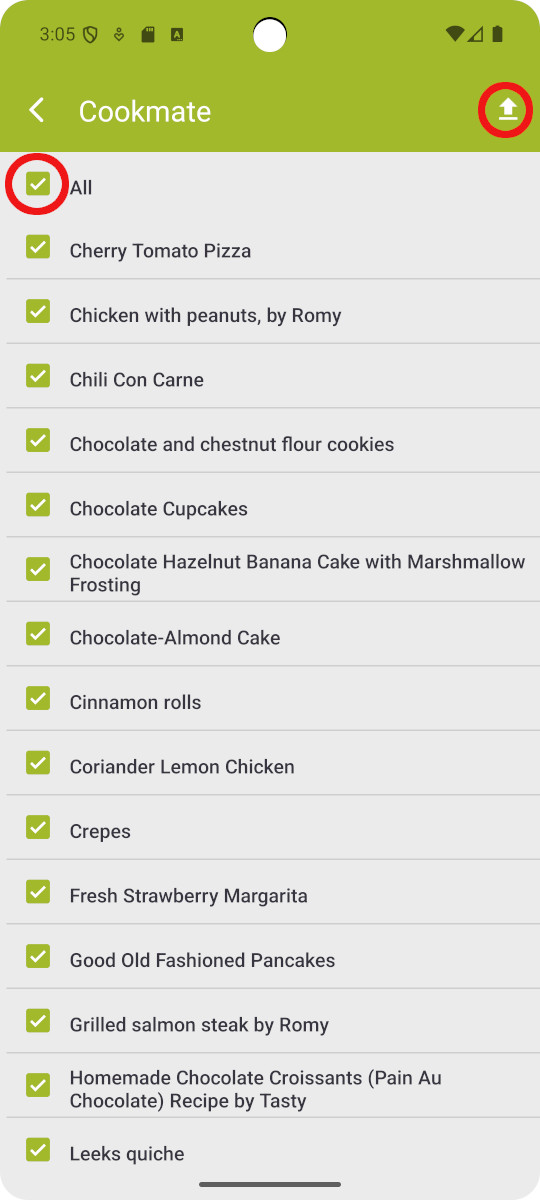
Select the recipes you want to back up, or choose Select all.
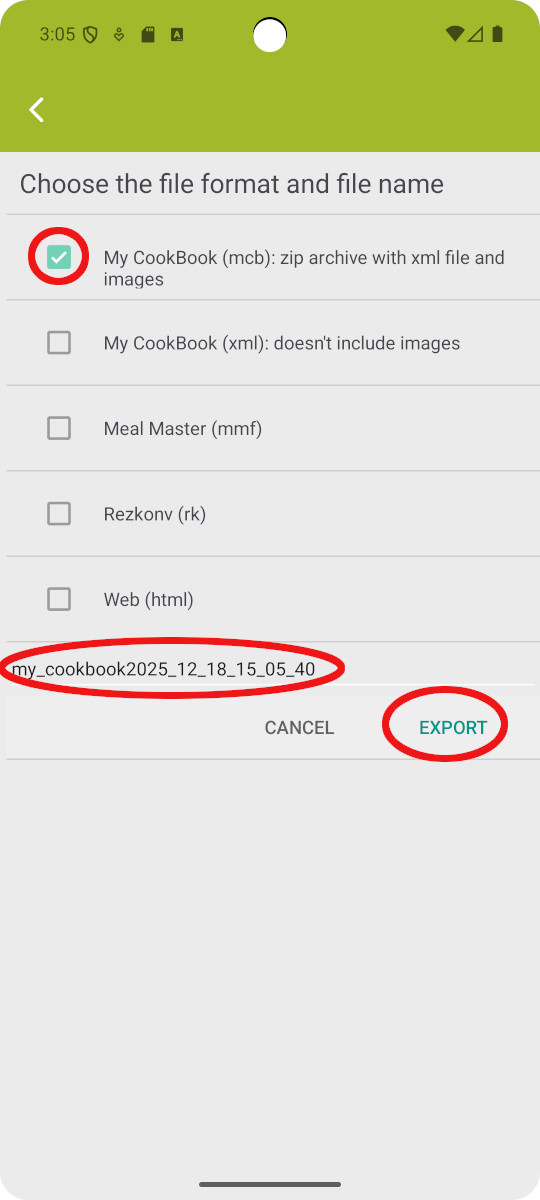
Then tap the Export button.
Choose the .mcb format. This format includes your images.
You can change the name of the backup file if you wish.
Tap Export to continue.
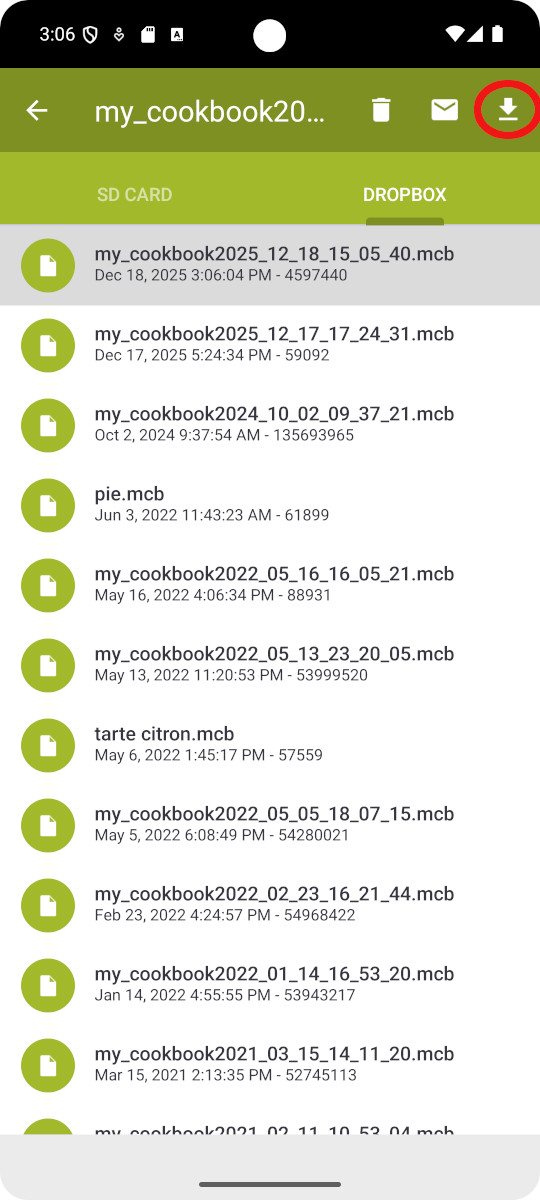
The backup file is uploaded to your Dropbox account.
On your new device
Open COOKmate on your new device.
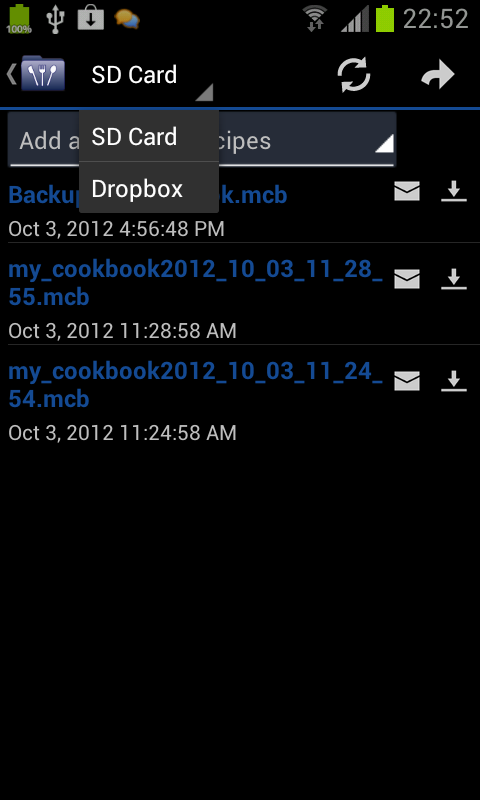
Go to File Import / Export, select the Dropbox tab, select your backup file and import it.
Your recipes are now available on your new phone.

41 thoughts on “Tutorial – How to Transfer Your Recipes to a New Phone with Dropbox (documentation for Android)”
Just discovered app and it’s just I need to gather recipes. But now that I have a collection I want to be able to search it and find the recipe I want Hoe do I do this? Search only let’s me search online.
Hi, you can use the filter box at the top of your recipes list
Most of my recipes are on Facebook. Whrn I transfer to dropbox most of the time all I get are the picture not the recipe!!
Would you please advise me on how to “share” recipes from Facebook to My Cookbook? Thank you
Hi Carole, Currently we don’t support imports from facebook… We need the html sources of recipes are well formatted so that we could extract easily the various information of recipes
Only a few of my recipes transfered over, how do i get them all to transfer
Have you tried to export again your recipes from your old device on your dropbox account ?
How can I import my cookbook recipes to my pc. I have Windows 7 & Windows 8. Is there an app that I can download? It would be great to sync to pc.
Hi, We don’t have a PC version of My CookBook. But we are working on an online version. Beta test will ends very soon : http://www.mycookbook-online.net
I WOULD LIKE TO PRINT MY RECIPES OR SEND TO SOMEONE ELSE, HOW DO I DO THIS
You can share your recipe with google cloud print to print it , or email it to your friend
Hi…how can i transfer all cookbook recipies from my old android phone to my new one?
Hi, have you tried to follow this tutorial?
How do you get reciepes off of facebook
Hi Sherry,
Sorry I am not sure to understand your issue. You can disconnect the app from Facebook in the settings
I’ve just installed on an Amazon Kindle HD and can’t find the Mycookbook folder to copy my database to. I connected the Kindle to a laptop to open the folder but couldn’t find it. This has worked when I changed my phone. When installing on a kindle, when is the Mycookbook folder? Thanks
It depends on the device. It may be /sdcard/MyCookBook/ or /mnt/sdcard/MyCookBook/ or /storage/sdcard0/MyCookBook/ or ….
i clicked on the ‘add a new recipe’ then ‘save’. It is now saved under the ‘List of my recipes’.
Now how do I get this in its right category under the ‘categories & sites’ in its proper place??
Also, once you create a category, how do you add a recipe in that category?
You can select the category in the edit screen or the add screen
It would be nice to have more categories than just main dishes and desserts and other. Perhaps there is a way to do that and I just don’t know it. Other than that I really like the app. Thanks
@Deb You can customize your own categories. On the main screen, click on the categories button