
Dropbox is a cloud-based file hosting service that allows you to synchronize folders across multiple devices.
By linking COOKmate to your Dropbox account, you can:
- Backup your recipes.
- Synchronize recipes between various devices.
- Access your last 100 backups directly from Dropbox!
All you need is a free Dropbox account to enjoy these features: https://www.dropbox.com/login.
How to Link COOKmate to Dropbox
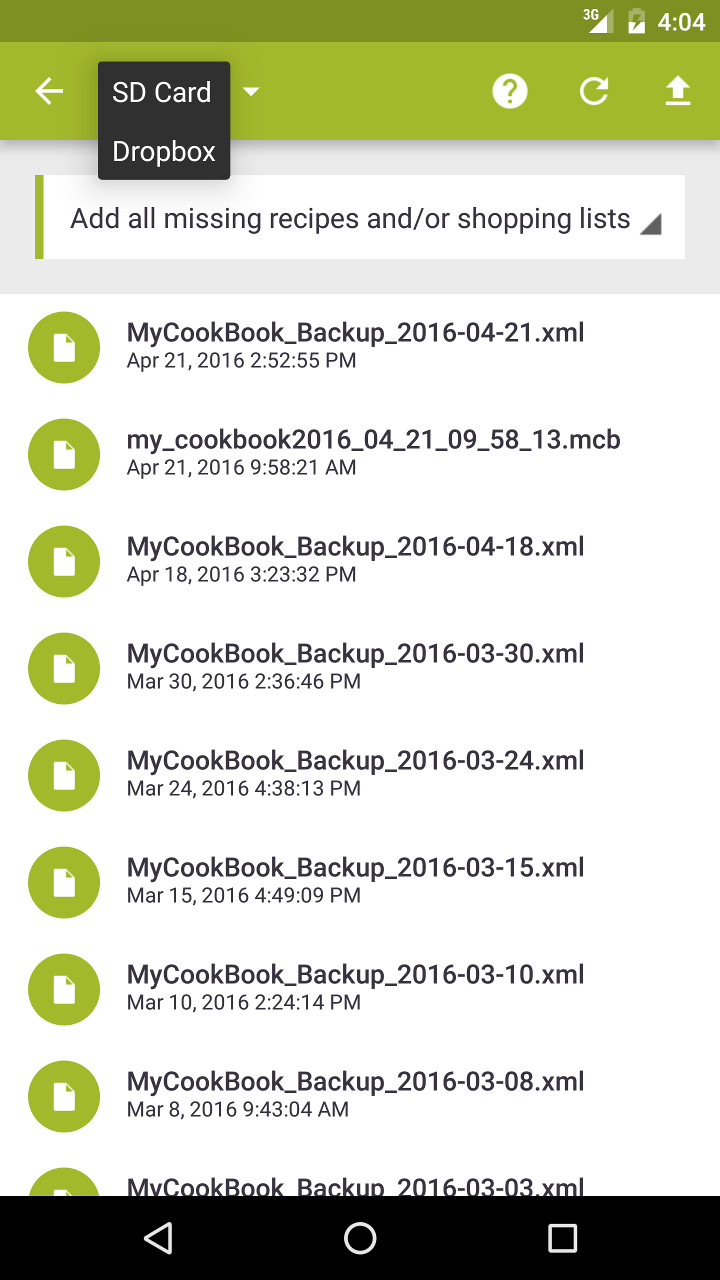
- In the action bar, choose Dropbox from the dropdown menu.
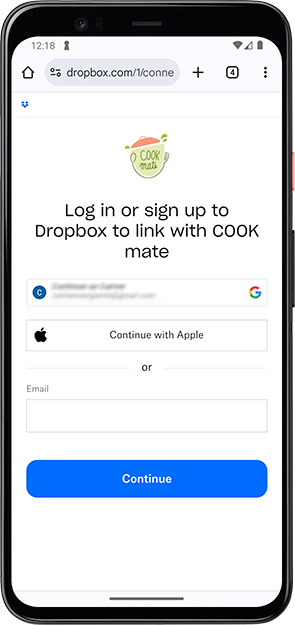
- You will be redirected to the Dropbox website where you can:
- Log in to an existing Dropbox account, or
- Create a free Dropbox account if you don’t already have one.
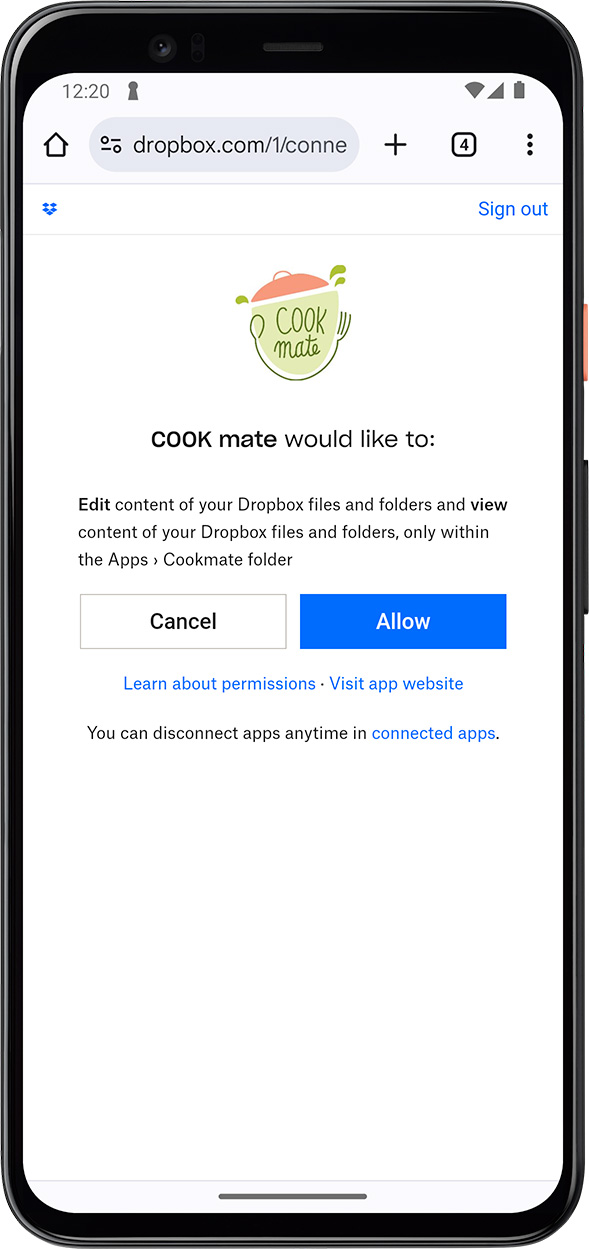
- After logging in, grant COOKmate permission to access the COOKmate folder in your Dropbox account.
1. In the action bar, choose Dropbox from the dropdown menu.
2. You will be redirected to the Dropbox website where you can:
- Log in to an existing Dropbox account, or
- Create a free Dropbox account if you don’t already have one.
3. After logging in, grant COOKmate permission to access the COOKmate folder in your Dropbox account.
Managing Your Files:
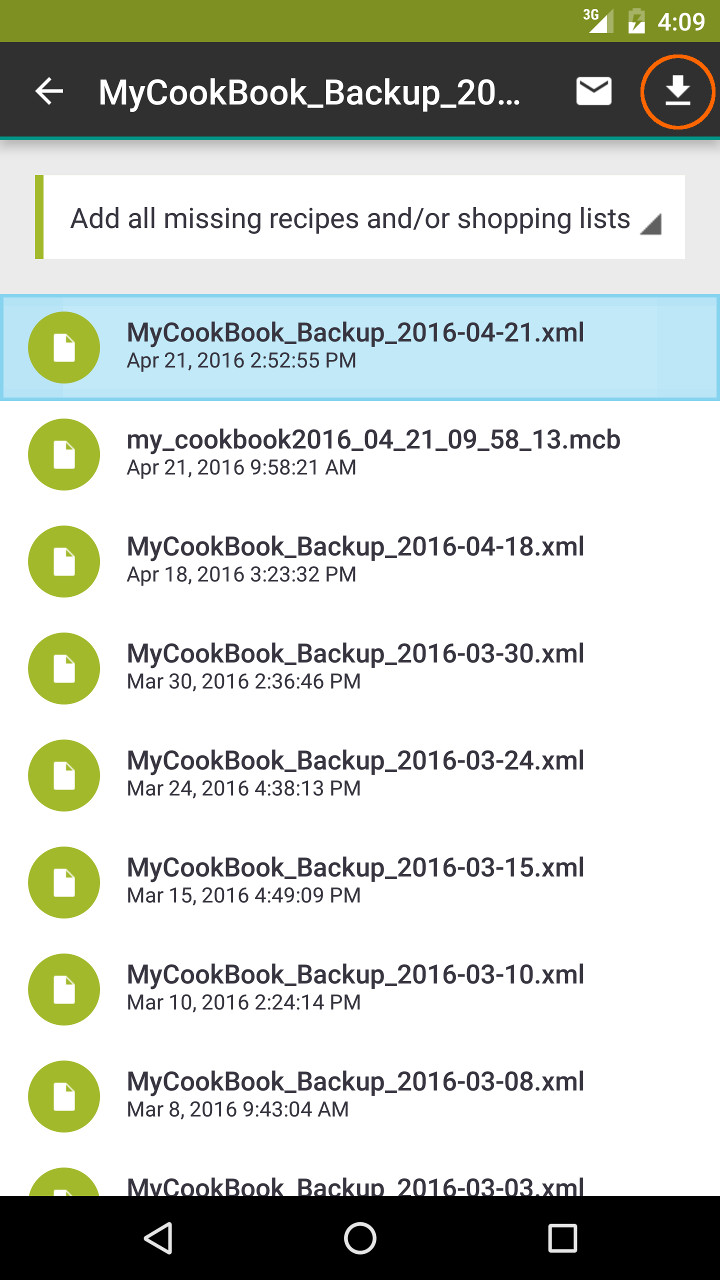
After linking, you’ll be able to view your files directly from your Dropbox account.
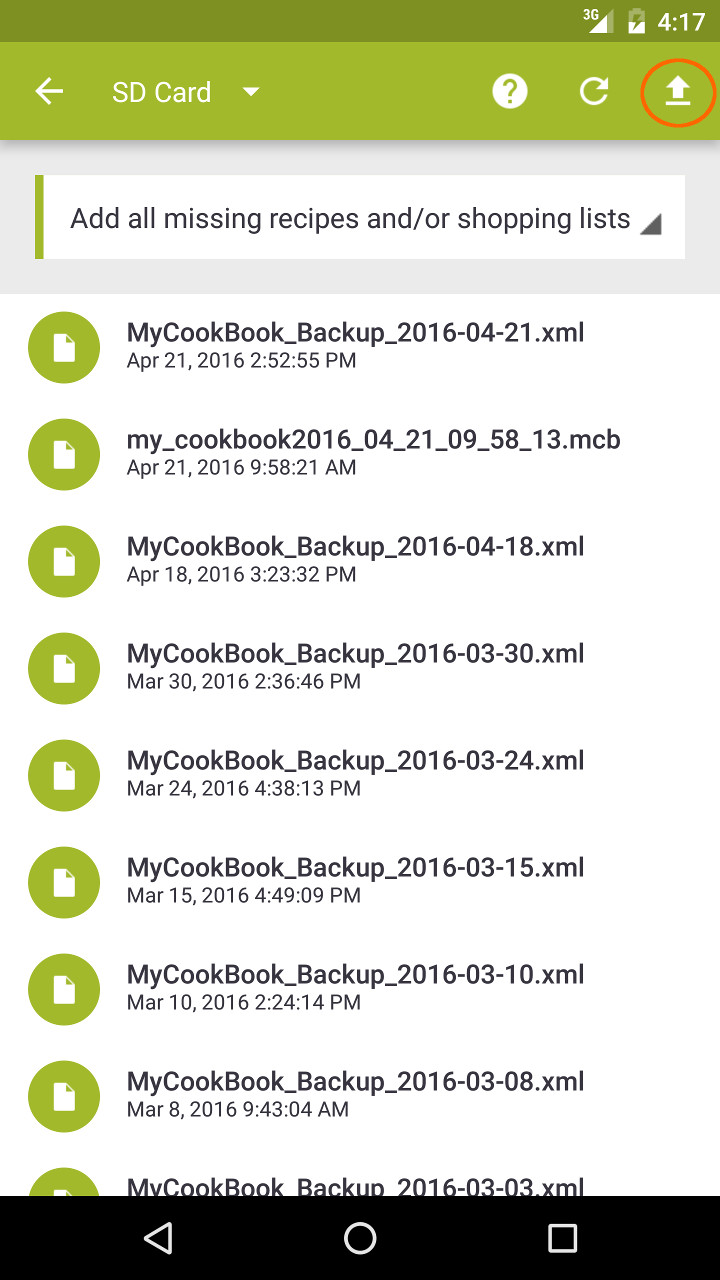
- Export Recipes or Shopping Lists: The export option in the action bar allows you to save all your recipes to your Dropbox account for backup or sharing.
- Import Recipes or Shopping Lists: Select a file from your Dropbox to import recipes or shopping lists directly into COOKmate.
117 thoughts on “Synchronize/backup your recipes with Dropbox (documentation for Android)”